
App Drawer & Dock
Open Android apps and keep favorites in the dock or on Home.
App Drawer & Dock
The App Drawer shows the Android apps installed on your device. The dock keeps up to five shortcuts close to Home.
Dock

Move down from the grid to reach the dock. Select an empty slot to choose an app. Press Y → Clear Slot to remove one.
Use Settings → Personalization → Dock Style to change the dock’s size and shape. Position and background settings are in the same menu. Auto-hide has a separate switch there.
App Drawer
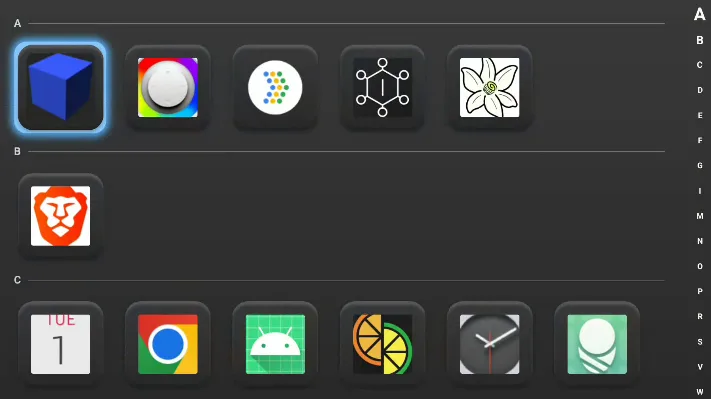
Open the App Drawer from its dock icon. Search or browse for an app, then press A to open it.
Press Y on an app to:
- Add it to Home
- Add or remove it from the dock
- Change its name and artwork
- Treat it as a game and track playtime
- Choose a launch display on dual-screen devices
- Open Android App Info
Removing a shortcut leaves the app installed.
See Game Info & Editing for game-like app settings.